Timeslots
Timeslots
Please note: Timeslots is only available for users with the ‘Terminal’ permission enabled.
Timeslots is a visual representation of the Truck Capacity Management System (TCMS) for the Delta & Euromax terminals. Booking a timeslot is done through Portbase MCA Road.
Easily check if there's enough space during any given time of the day for your truck drivers to enter the terminal!
Overview
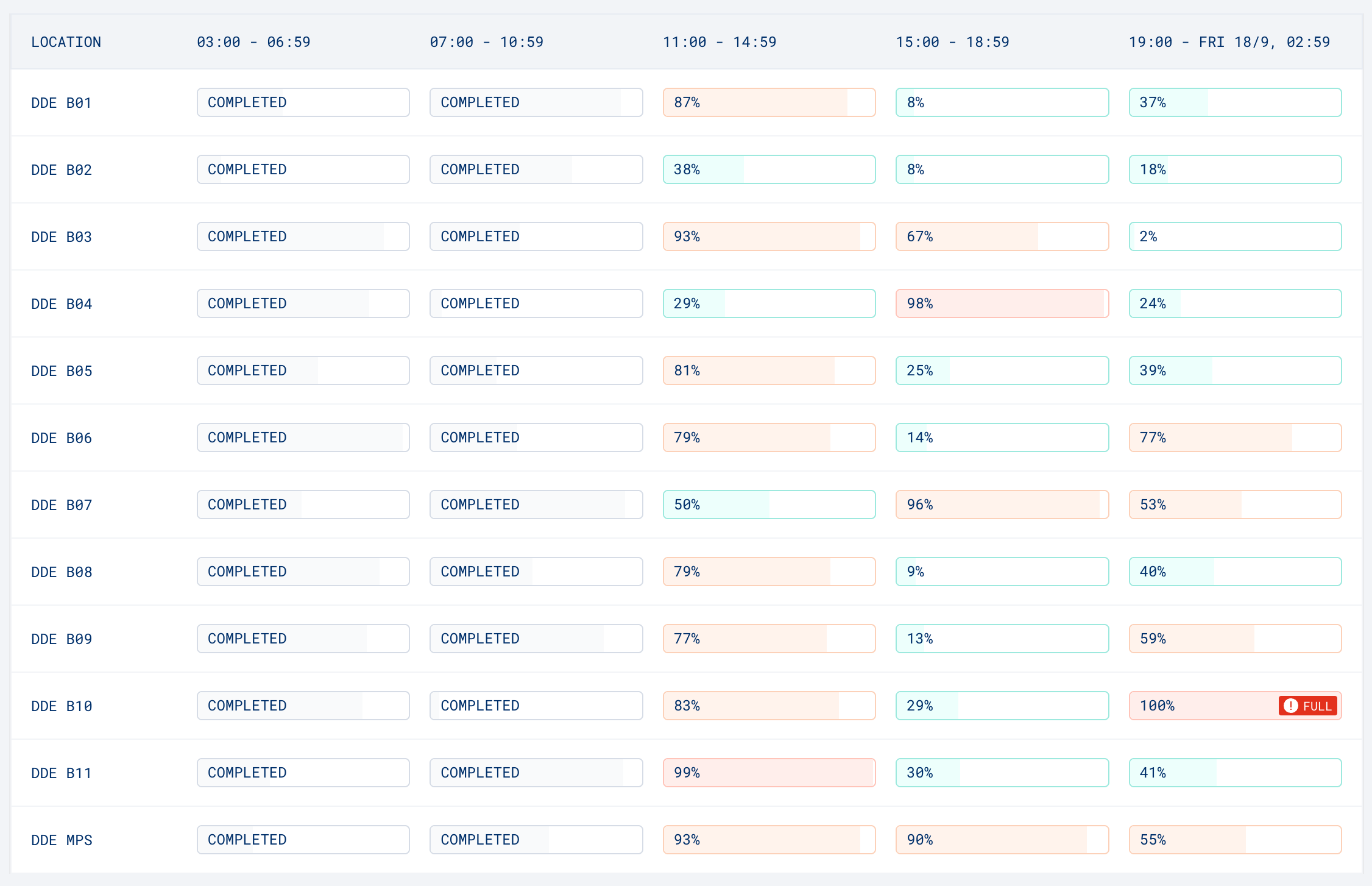
The overview shows a table of the availability of the timeslots on a given day per time block.
The table consists of the following information:
- Location: The subterminal and/or transfer zone
- Timeslot: The time range for a specific timeslot. 03:00 - 06:59, 07:00 - 10:59, 11:00 - 14:59, 15:00 - 18:59 and 19:00 - 02:59 the following day.
Specifically for Delta the table is split into the DDN and DDE subterminals. For Euromax this is one table showing the terminal.
Understanding the availability
Every row of the table is for a specific location or transfer zone on the terminal. The information shown in the columns, per timeslot indicate how much of the availability is already booked, visualised into percentages and colour.
- Completed: The timeslot has been closed and is no longer available
- White: The timeslot is fully available
- Blue: A lot of space is still available, less than 50% of the space has been booked
- Orange: There is still enough space, however more than 50% of the space has been booked
- Red: Space is extremely limited, more than 98% has been booked
- Red & Full: There is no space available during this timeslot.
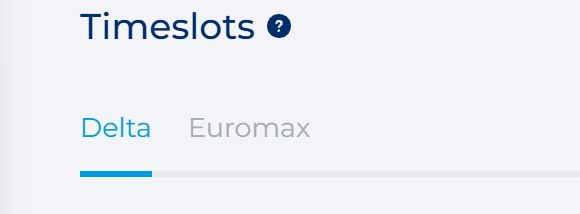
Switch between terminal Delta and Euromax
You can switch between the ‘Delta’ and ‘Euromax’ terminals by clicking on the name of the terminal. By default, the information of the Delta terminal is shown.
Viewing a specific date
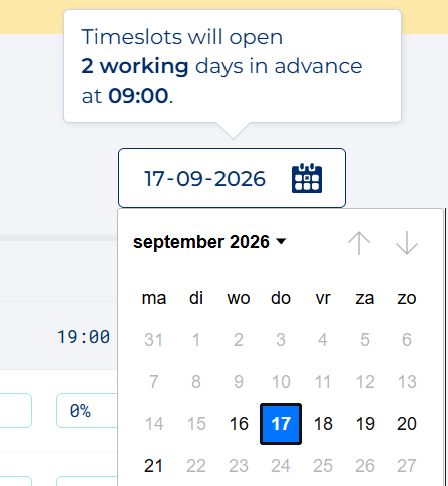
Use the date picker in the top-right to select the day for which you want to view available slots.
It's possible to select yesterday, today, or up to four days into the future. Timeslots become available 2 workdays in advance at 09:00.
Frequently Asked Questions (FAQ)
If you have any more questions, please refer to our FAQ.